You know which orders need to go out.
Let the software figure out the rest.
OkPilot is delivery management software that batches orders into optimized routes, assigns drivers by proximity, tracks every vehicle live, and captures photo or signature proof at the door. You manage the entire operation by typing plain instructions instead of clicking through dashboards.
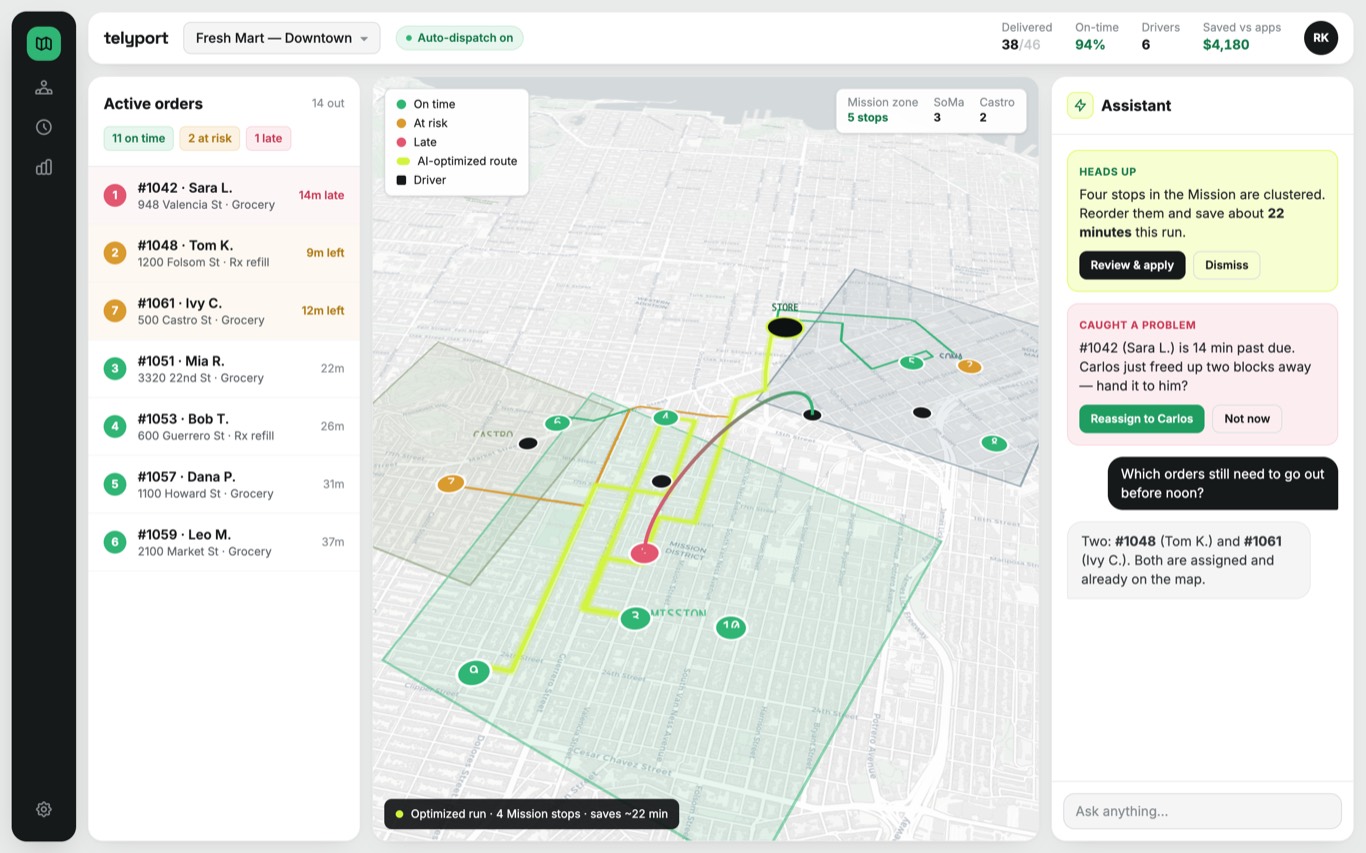
A typical morning with OkPilot
You open the console. The day is already planned.
You open the console
48 orders already batched into 6 routes across 4 drivers. You did not assign them. OkPilot grouped nearby stops, balanced the loads, and set the sequence. You scan it, adjust one driver you know is running late, and approve.
A nudge pops up
Order #1042 is 14 min behind. Carlos just freed up two blocks away. Reassign?
You tap approve. The customer gets an updated ETA automatically. You never made a phone call.
A customer texts "where is my order?"
Your order
3 min away
They already have a tracking link. The system replied before you saw the message.
You type: "How did we do today?"
This is what comes back.
46 of 48
On time
48 of 48
Proof captured
none
Disputes
No report builder, no filters. You asked, it answered.
Example console output.
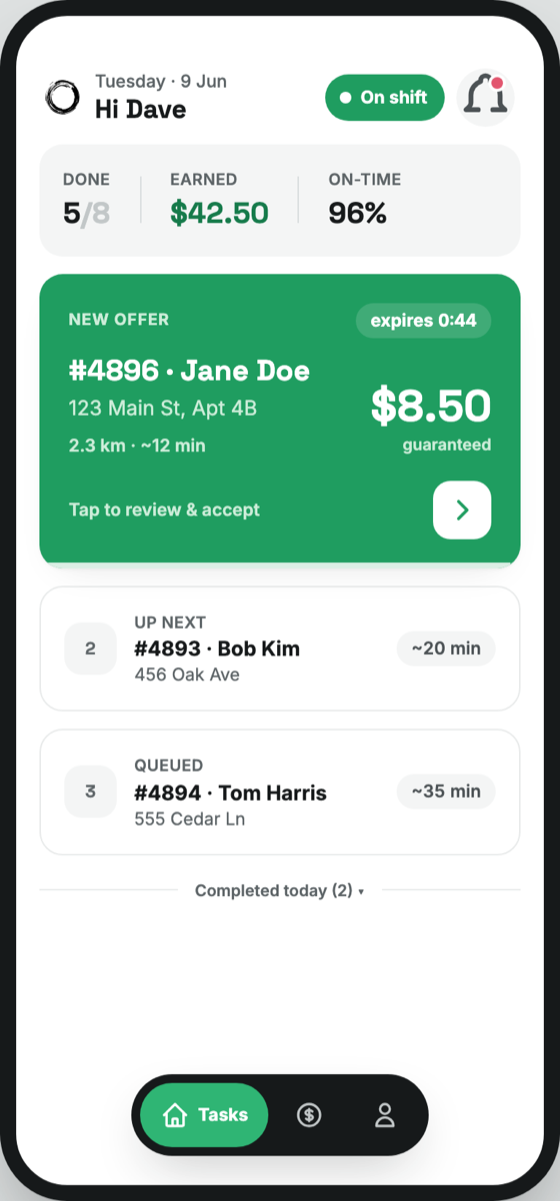
Proof captured
Photo + GPS + timestamp
Your drivers just follow the screen
No training manual. No morning briefing. They open the app, see their next stop with the pay and distance, tap for directions, and snap proof at the door. If the stop order changes mid-route because you reassigned, the app updates automatically.
1 tap
To directions
Every stop
Photo, signature, or code
Live
Customer tracking link
Any phone
iOS and Android
You describe your operation. It sets itself up.
Tell OkPilot: "We deliver prescriptions from two pharmacy locations. Drivers need to capture a signature. Customers get a tracking link." That is the setup. It creates the stages, the proof requirements, the customer notifications, and the terminology. No configuration screens. No IT project.
Change it any time the same way. "Add a photo requirement at pickup." Done.
Your delivery flow
Created by describing your operation. Change it the same way.
Since 2018
In market
2,000,000+ tasks
Handled
48 hours
To full setup
We ran our own delivery operation before we built this. Every feature exists because we needed it ourselves.
Which delivery operation?
Every delivery business has a different shape. A pharmacy and a restaurant have almost nothing in common except "something goes from here to there." OkPilot knows the difference.
Pharmacy
Refill cycle surges, signatures required, failed attempts cost double.
Florist
Funeral at 2 PM does not move. Flowers that come back are a day older.
Grocery
Two stores sending vans to the same streets. Missing items disputed without proof.
Restaurant
Food quality degrades by the minute. The rush is when nobody can think.
Courier
One late pickup breaks three deliveries. Per-client SLAs on the same route.
Your delivery operation is not listed? It still fits. OkPilot configures to any delivery operation.
See it running your delivery operation
Book a demo. We will load your real routes and show you your day running itself.