Dispatching a home-service crew of six
In short
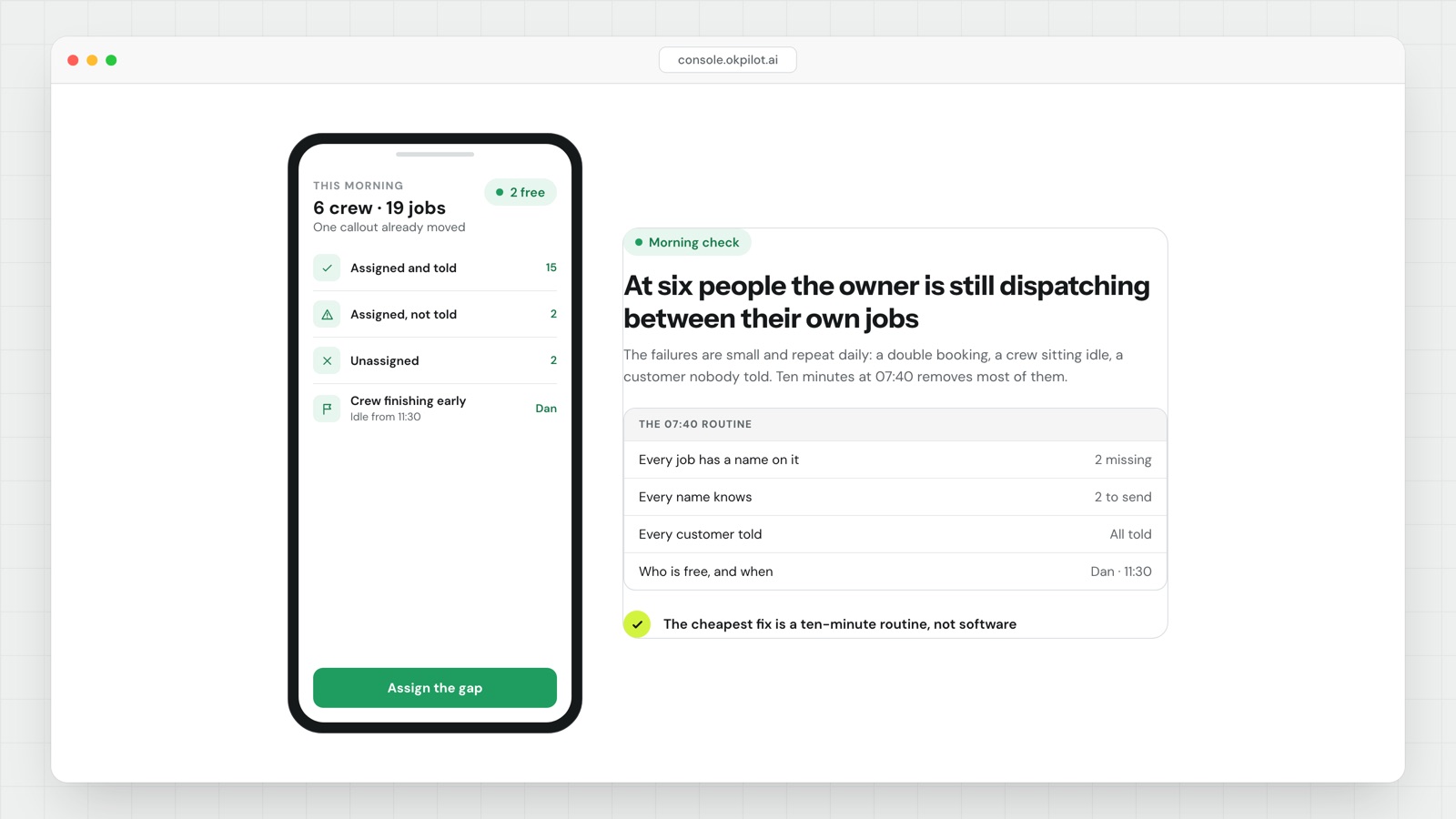
At six people, dispatch is not yet a software problem. It is a routine problem. Most of what landscaping dispatch software fixes at that size can be fixed first by locking tomorrow's schedule tonight and running a ten-minute yard huddle before the trucks leave.
Idle cost per week = idle hours x people idle x loaded hourly cost- Three failures dominate at six people: double-booking, a crew that finishes early and sits, and a customer who was never told nobody is coming. All three come from the schedule living in the owner's head and phone.
- Lock tomorrow before you go home. A job is not scheduled until it has an address, an access note, a one-line scope, a materials line and a crew.
- Every crew leaves the yard with a named fallback job they are authorized to start without calling you. That is what kills idle time, not faster texting.
- One midday check per crew at a fixed time, answered with a job number rather than a sentence. If a crew is more than one job behind, move the last job now.
- A job you move gets a message before noon. The customer should hear from you before they start wondering.
- Track a bump count per customer and never bump the same customer twice in a season.
What actually goes wrong at six people
Six people is usually two or three crews plus a working owner. The owner is on the tools most of the day, so dispatch happens in gaps: at a red light, in a driveway, between a sink and a ladder. The failures are predictable.
Double-booking. It almost never looks like two jobs in one calendar slot. It looks like this: you are under a deck, a customer calls, you say "Thursday morning, yes", and the only record is in your recent calls. Thursday arrives and that crew was already committed. The cause is that a commitment got made somewhere that is not the schedule.
The early finish. A two-person crew wraps a mow route at 1:40pm and texts. You are on a ladder and see it at 2:15, then they drive 25 minutes to something. You paid for roughly an hour of nothing and lost the back half of the afternoon. Nobody logged it, so it never appears in any number you look at.
The customer who was never told. The sod install moved because the material did not land. You knew at 7:10am. Nobody called. The customer took the morning off work and sat in an empty house. That one does not cost you an hour, it costs you the account and a review.
| Failure | Where it starts | The fix |
|---|---|---|
| Double-booking | A verbal yes given away from the schedule | Nothing is promised until written, including by you |
| Crew sits after an early finish | They must reach you to learn what is next | A named fallback job, assigned at the huddle |
| Customer not told | The move was decided and never communicated | Every move triggers a message before noon |
| Day collapses after 3pm | Nobody checked progress at midday | One fixed-time check per crew |
The routine: ten minutes tonight, fifteen in the morning
This is the whole system. It is not sophisticated, and at this size it works better than any tool will.
The night before, by 5:30pm, about ten minutes.
- Read tomorrow's list out loud, crew by crew, and count the stops. If you cannot say the count, the day is not planned.
- Confirm every job has five things: address, access note (gate code, dog, where to park), one-line scope, materials, crew.
- Name the last job on each crew's list. That is the one that moves if the day goes sideways, and you have now pre-decided it.
- Name the fallback job for each crew.
- Anything you already know will not happen tomorrow, message tonight. Tonight is a courtesy. Tomorrow morning is an apology.
The morning, 6:40 to 6:55.
6:40, customer messages go out. Windows, not times. A time is a promise you will break by 20 minutes; a window is one you can keep.
Hi [name], it's [company]. We're at your place today between 9 and 12. [Crew lead] is running it. Reply here if that doesn't work.
6:45, the huddle. Read each crew lead their list in order. Confirm the last job and the fallback. One sentence on anything unusual: the dog, the neighbor who complains, the gate that needs lifting. 6:55, trucks out.
11:30, the midday check. One message per crew lead: "which job are you on?" The answer is a number. If a crew is more than one job behind, move their last job right then and message that customer before noon. Deciding this at 11:30 costs one text. Finding out at 4:30 costs the relationship.
The fallback job is what kills idle time
A crew sits because finding out what is next requires reaching a person who is under a sink. Remove that dependency and the problem mostly goes away.
A fallback job qualifies if it needs no customer contact to start (or the customer has standing authority), sits inside the crew's existing geography, takes 60 to 120 minutes, and the materials are already on the truck. Typical candidates:
- a maintenance account due later this week that you would otherwise do Friday
- a cleanup or mulch top-up you have been deferring
- a punch list on last week's install
- next week's far account, pulled forward while a crew is already in that part of town
Keep a standing list of three fallbacks per crew territory and refresh it each Friday. Then put a number on it: measure one week of idle hours honestly, multiply by crew size and loaded hourly cost, and you will know in ten minutes whether the discipline is worth it.
Deciding who gets bumped
When a day breaks you need a rule, because deciding in the moment means bumping whoever complains least, and that is how you quietly lose your best recurring customers. Work down this order:
- Never bump a customer whose bump count is already 1 or more this season. Keep that count next to their name, where you will see it.
- Bump the job with the most tolerance. A maintenance account serviced last week has tolerance. A one-off with a deadline, perishable material on site, or a rented machine on the clock has none.
- Bump the job that is cheap to reschedule. A job near tomorrow's cluster slots back in for free. One on the far side of the territory breaks tomorrow too.
- Do not bump a customer for a job that pays more, unless you are willing to count the cost of the bump. Written down, you usually are not.
Then send the message, and send it before noon:
Hi [name], it's [company]. We're not going to make your [service] today, [the plain reason]. I've moved you to [day] between [window] and you're first on the list. Sorry for the short notice.
That message says plainly that the thing will not happen, gives a new date, and takes the blame. No "due to unforeseen circumstances". People forgive a reschedule they heard about. They do not forgive an empty driveway.
When landscaping dispatch software starts paying for itself
The routine holds until roughly three crews, or until the owner comes off the tools. It breaks for one reason: nobody can hold three lists in their head and also do a day's work, so the midday check goes, then the night-before, then you are back to texting.
When you do buy something, insist on three things and ignore the rest of the feature list:
- the day's list on the crew's phone, not in a text thread anyone can lose
- a timestamp when each job starts and finishes, so idle time becomes visible instead of guessed at
- a customer message that goes out without you typing it
OkPilot works by typed instruction, so "move Henderson to Thursday morning and tell them" is one line rather than four screens, and it suggests the reshuffle while you approve it before anything reaches a customer.
Two things no tool fixes: a route that is geographically wrong, which is a routing problem rather than a dispatch problem, and a crew that arrives without materials, which is the booking call rather than the schedule.
See OkPilot running your own operation
A live walkthrough with a real person, configured to your jobs on the call. About ten minutes. Setup takes around 48 hours.